Showing posts with label HTML. Show all posts
Link & Script Tags
- The
<link>and<script>tags are essential elements within an HTML document's<head>section. - They serve various purposes, like linking external stylesheets or including JavaScript files.
<link> Tag
- The
<link>tag is commonly used to link external stylesheets to an HTML document. It's a self-closing tag, meaning it doesn't require a closing tag.
<link rel="stylesheet" type="text/css" href="styles.css"> <script> Tag
- The
<script>tag is used to include JavaScript code or files in an HTML document. Unlike the<link>tag, the<script>tag must be closed with a</script>tag.
<script src="script.js" type="text/javascript"></script>Definition Lists
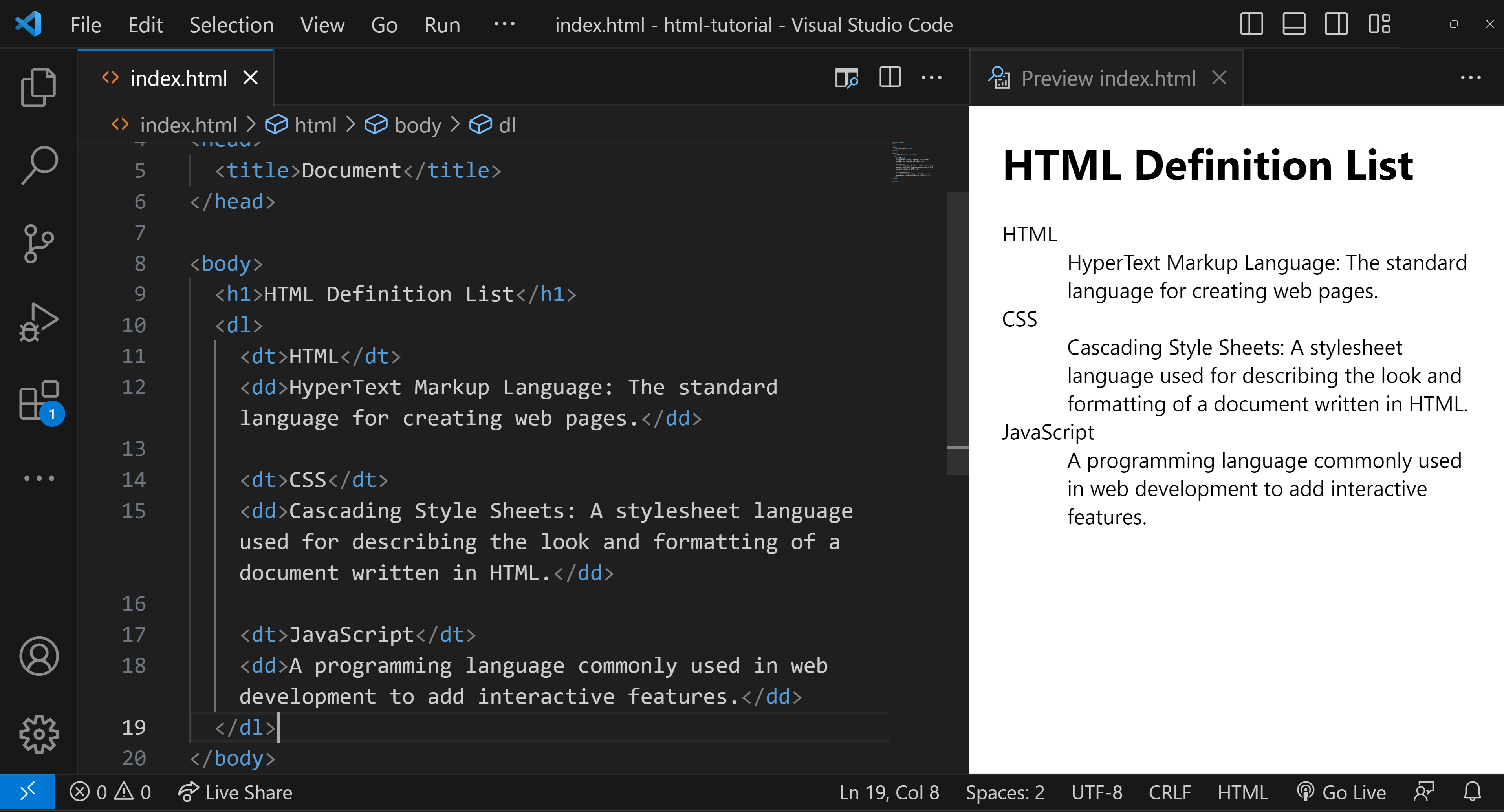
- A Definition List in HTML is used to represent a list of terms along with their corresponding descriptions or definitions. The Definition List is created using the
<dl>(Definition List) element, which wraps around one or more pairs of<dt>(Definition Term) and<dd>(Definition Description) elements.

Definition List Example
Here's a simple example to illustrate:
<h1>HTML Definition List</h1>
<dl>
<dt>HTML</dt>
<dd>HyperText Markup Language: The standard language for creating web pages.</dd>
<dt>CSS</dt>
<dd>Cascading Style Sheets: A stylesheet language used for describing the look and formatting of a document written in HTML.</dd>
<dt>JavaScript</dt>
<dd>A programming language commonly used in web development to add interactive features.</dd>
</dl>Understanding the example
In this example:
<dl>is the container for the list.<dt>defines the terms that you want to explain.<dd>contains the definitions or explanations for the terms.

.png)