Semantic HTML5 Elements
- The elements in HTML which define their meaning are semantic elements.
- And also these elements describe their content.
Semantic HTML5 Elements
<link> and <script> tags are essential elements within an HTML document's <head> section. <link> Tag<link> tag is commonly used to link external stylesheets to an HTML document. It's a self-closing tag, meaning it doesn't require a closing tag.<link rel="stylesheet" type="text/css" href="styles.css"> <script> Tag<script> tag is used to include JavaScript code or files in an HTML document. Unlike the <link> tag, the <script> tag must be closed with a </script> tag.<dl> (Definition List) element, which wraps around one or more pairs of <dt> (Definition Term) and <dd> (Definition Description) elements.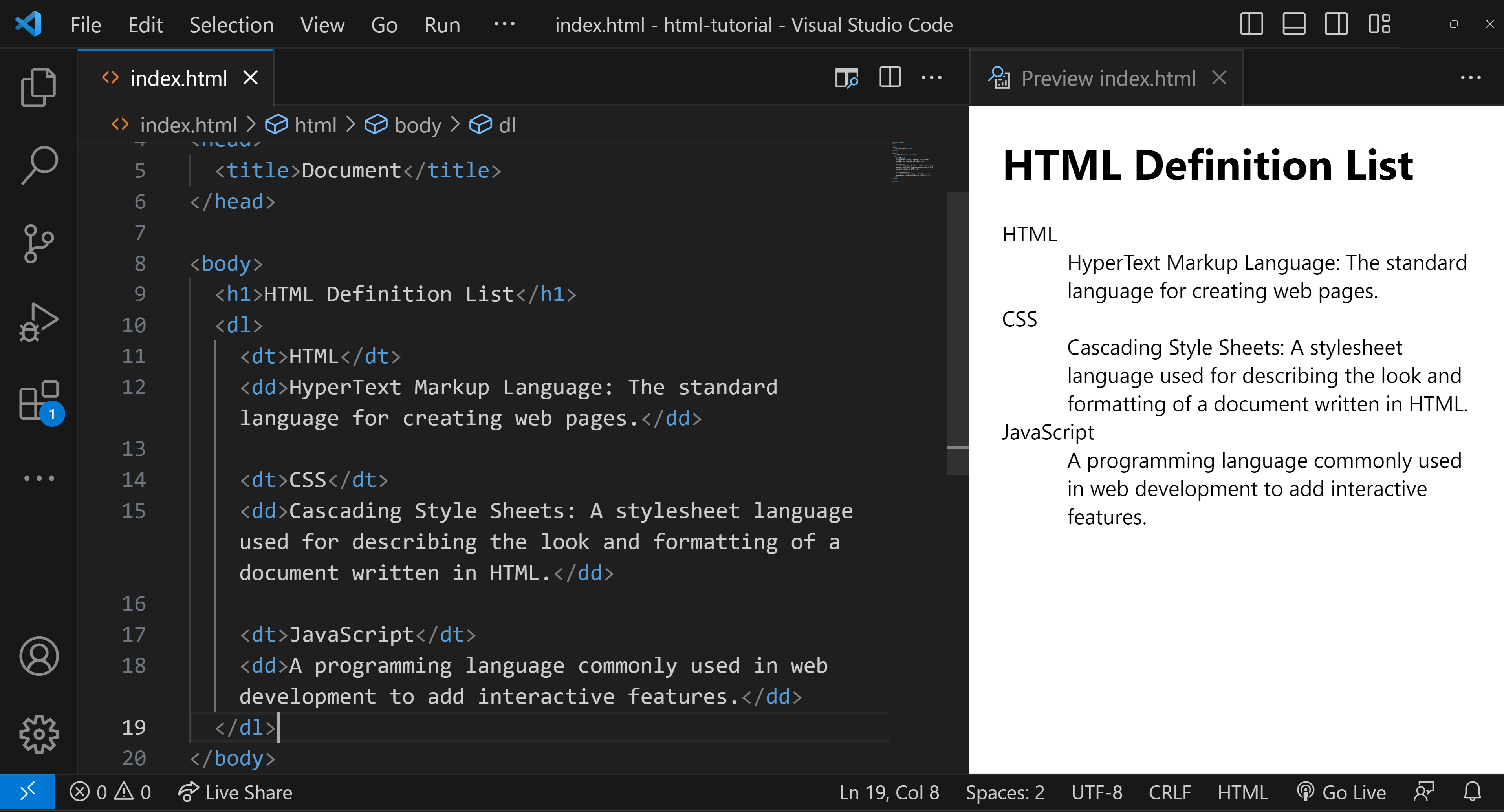
Here's a simple example to illustrate:
In this example:
<dl> is the container for the list.<dt> defines the terms that you want to explain.<dd> contains the definitions or explanations for the terms.


.png)

