HTML Ordered List
- An ordered list is used to create a list of items in a specific order, typically indicated by numbers.
Syntax
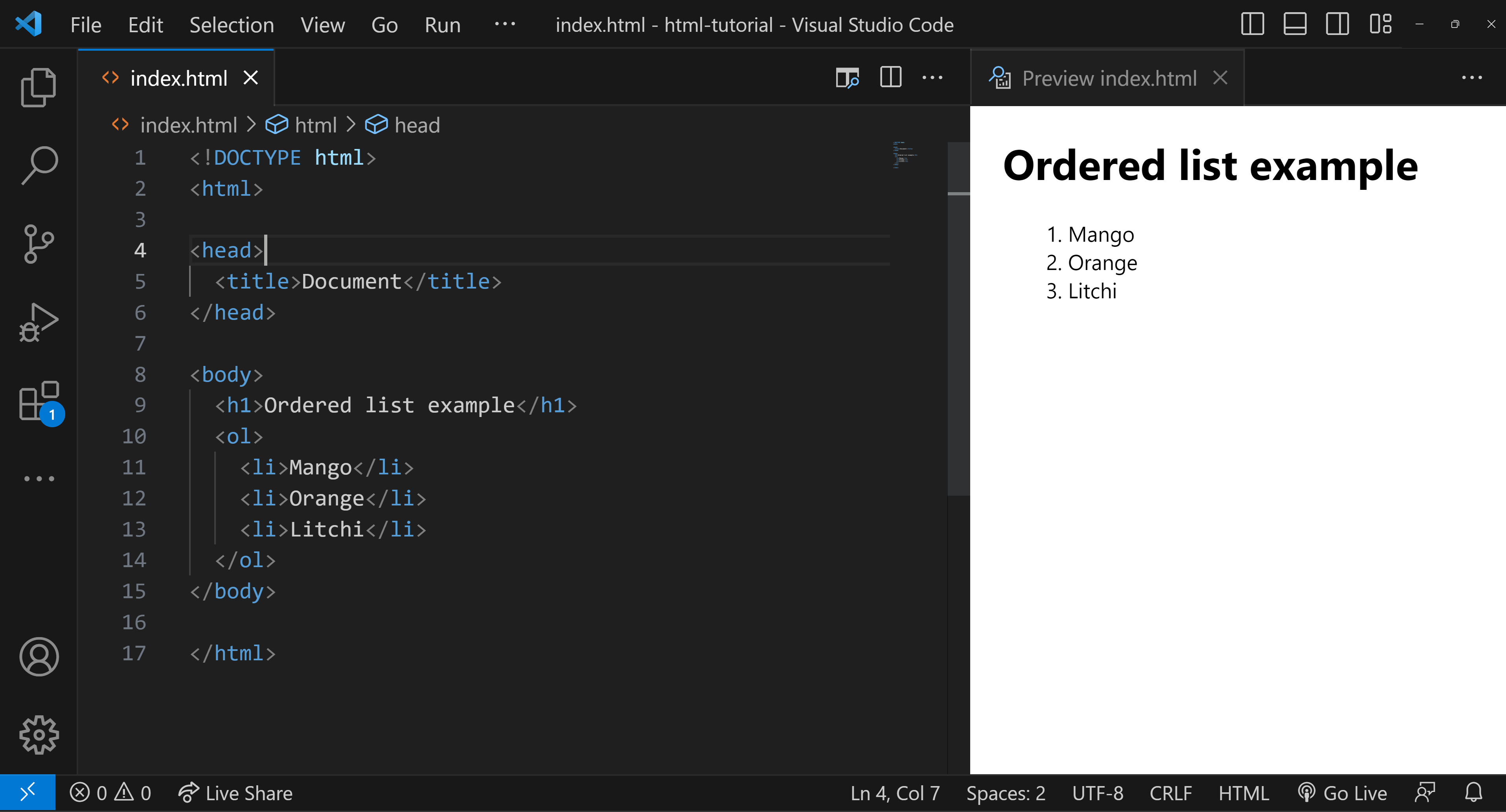
Key Points
- Ordered lists are used for items that follow a sequence.
- They are created using the
<ol>(Ordered List) tag.
- The list items are enclosed within
<li>(List Item) tags.
Basic Example
Output:
- Mango
- Orange
- Litchi
Setting the 'type' Attribute
The type attribute specifies the style of numbering. You have several options
- Uppercase Roman Numerals: Use
type="I" - Lowercase Roman Numerals: Use
type="i" - Arabic Numerals: Use
type="1"(This is the default if thetypethe attribute is not specified) - Lowercase Alphabetical Letters: Use
type="a" - Uppercase Alphabetical Letters: Use
type="A"
Setting the 'start' Attribute
The start attribute specifies the starting number for the list.
.png)



.jpg)

.png)

